
Built by a special education case manager in Georgia
Your whole IEP caseload, on one desk.
Deadlines, progress monitoring, student supports and IEP drafting in one place, built for the work case managers actually do every day. Built so each district runs its own copy in its own Microsoft Azure.
Request a demo See what it does
What it does
-
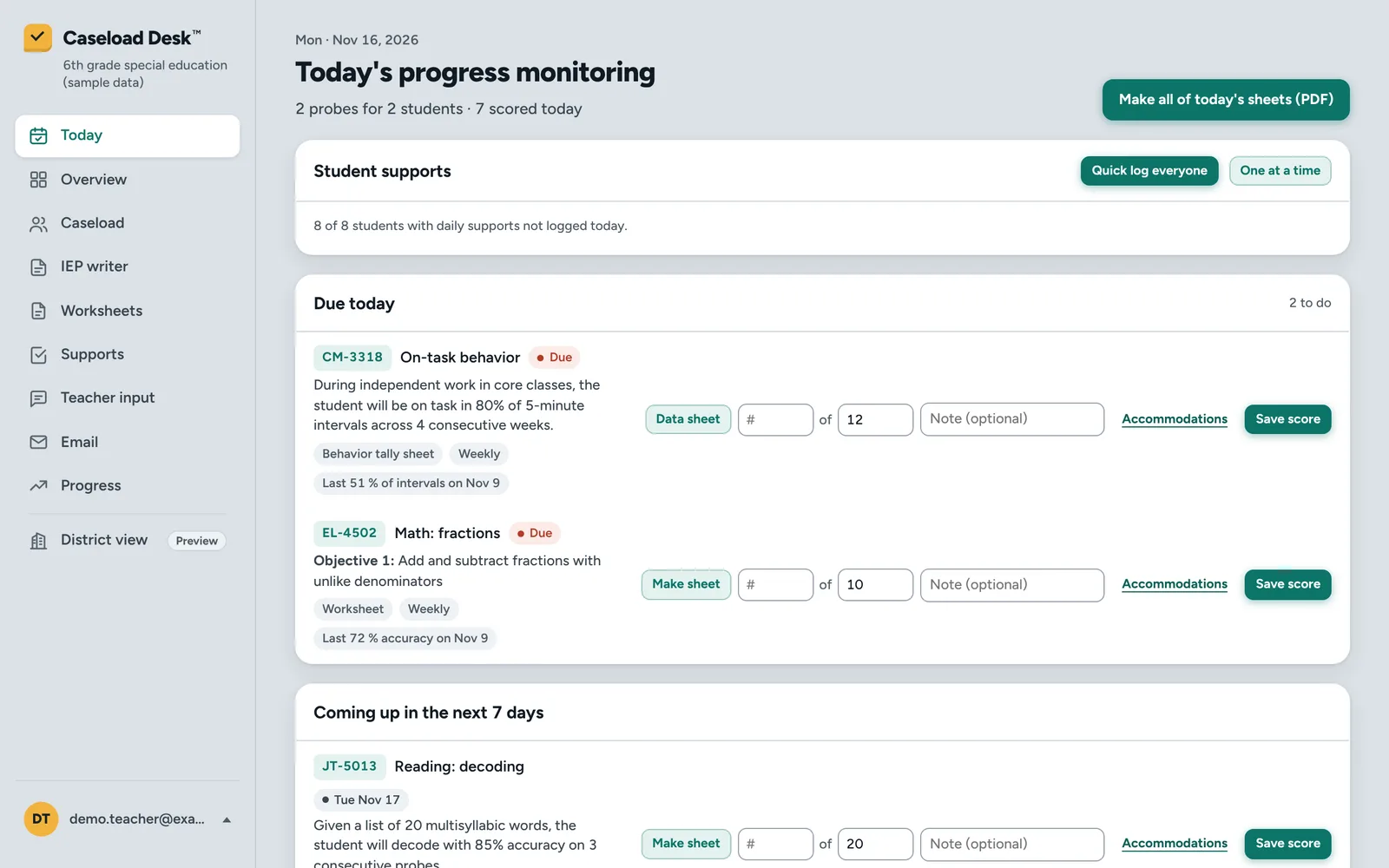
Know what's due today
Annual IEPs, re-evaluations, meetings, invitations and progress probes in one list, with what's coming due and what's overdue flagged.
-
Progress monitoring that keeps up
Make a probe sheet for the student's current objective, score it, and see it on the goal graph. Each score can carry which accommodations were used and the teacher's note.
-
Student Supports, logged daily
Log instructional accommodations and supplementary aids in a minute, or the whole caseload at once. General education teachers check them off from their own page.
-
Accommodation sign-offs
Each teacher signs that they received the student's accommodations. When the accommodations change, the sign-off comes due again.
-
Parent meeting notices
Share the notice as a link or print a paper copy. Parents answer from the link, and their response shows up on your desk, ready to add to the contact log.
-
Update last year's IEP (preview)
Upload last year's IEP as a text PDF and review it section by section next to this year's data. AI drafts the present levels and goal progress after the names it finds are swapped for placeholders; team decisions are never guessed. You copy each box into your student information system, where the official IEP stays. We'll check it against your district's IEP print during the pilot.
Also: caseload and goal imports from spreadsheet exports, a worksheet maker with answer keys, teacher input requests, printable progress graphs, and an activity log of views and changes.
A look inside
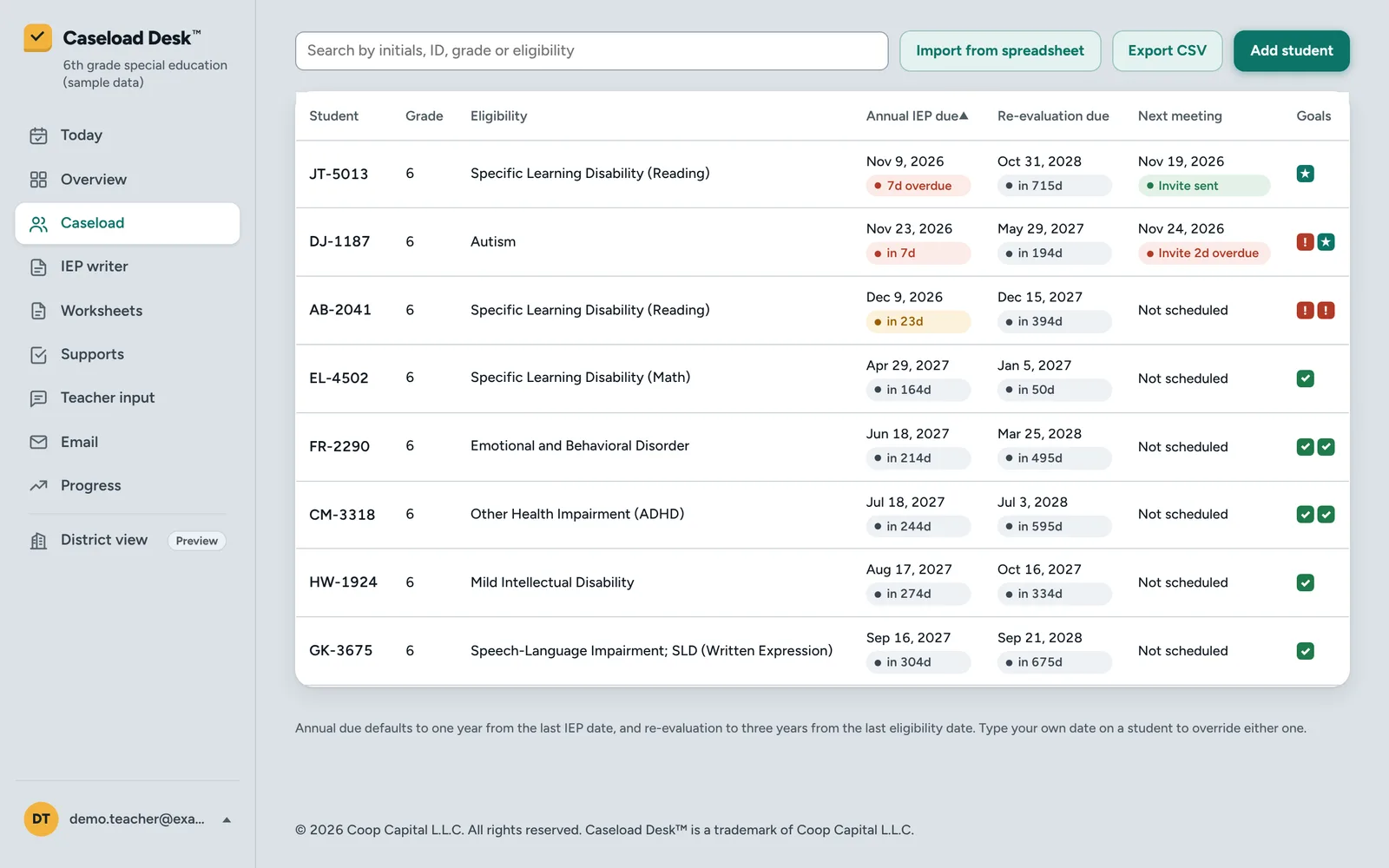
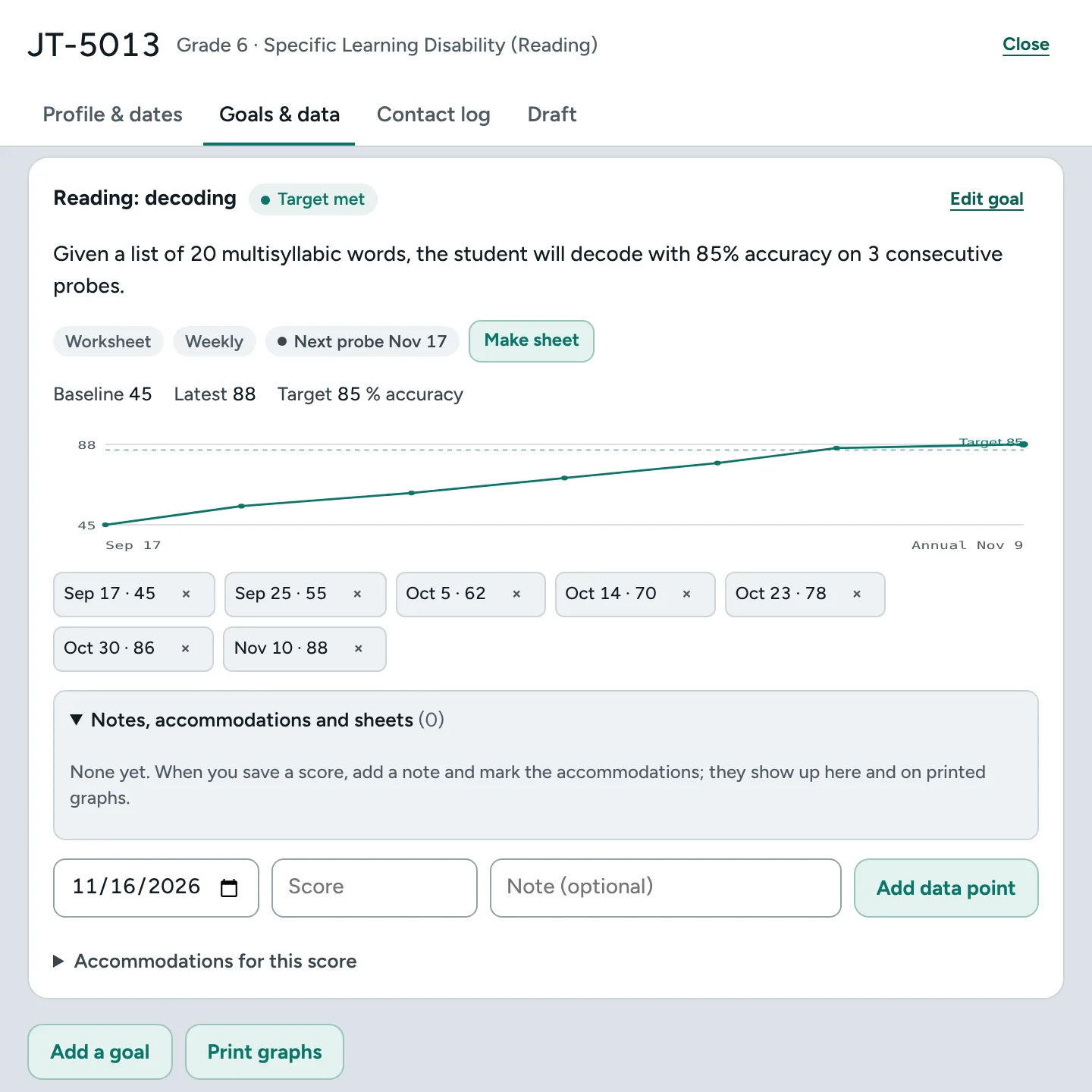
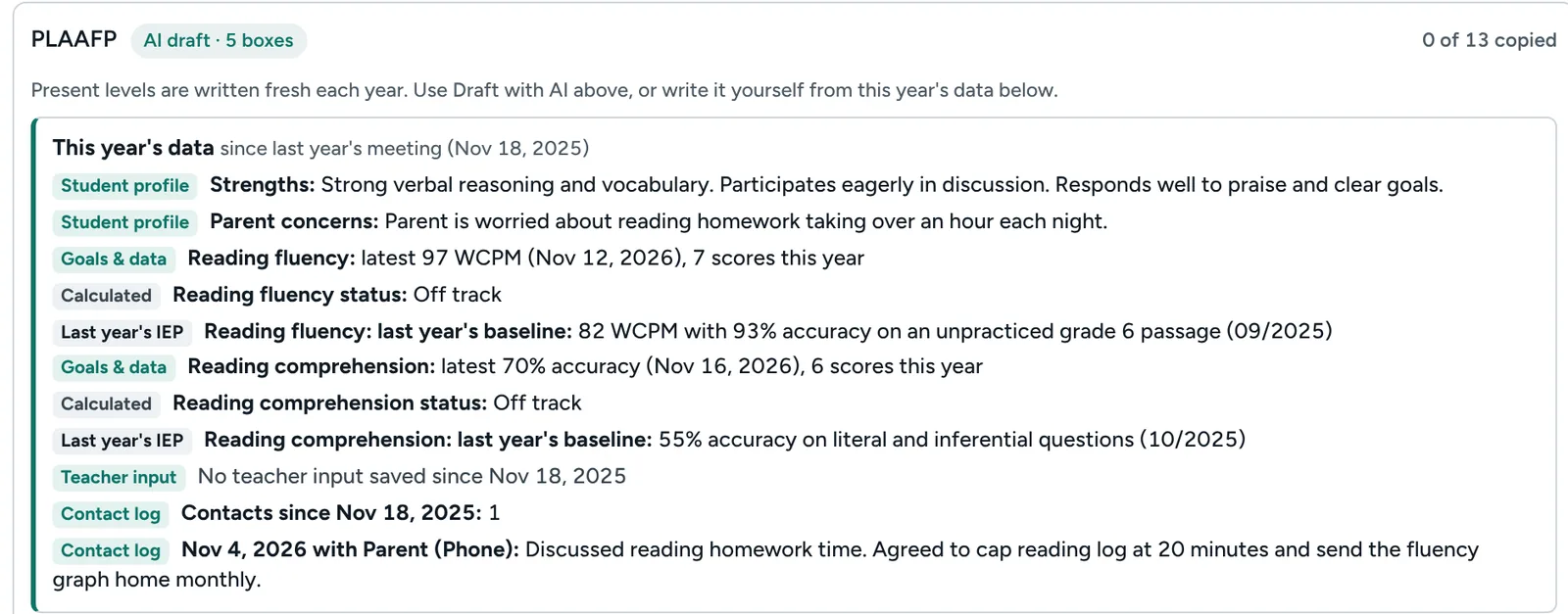
Screenshots show made-up sample students. The Email and District view tabs shown in them are previews.
Your district's data stays with your district
-
Runs in your own Azure
Caseload Desk is built to be installed in your district's own Microsoft Azure. Student records are stored there, not on our servers. Updates go to your test site first; you choose when they go live.
-
Your sign-in, your people
Staff sign in with their district Microsoft accounts. Your IT team decides who has access. Case managers see only their own caseload; teachers see only the accommodations shared with them.
-
AI your district controls
AI requests go to the AI service your district sets up and your privacy office approves, in your own Azure. Students are listed by code, not by name. When you upload last year's IEP, the app swaps the names, emails, phone numbers, addresses, birthdates and ID numbers it finds for placeholders before any text goes to the AI, and shows you exactly what will be sent.
-
Views and changes are logged
Each person's activity log records when they viewed their lists and the changes they made to student records, and each case manager can download everything saved under their account at any time.
Setup needs your district's Microsoft Azure and a Microsoft Entra sign-in group; we set it up with your IT team.
Accessibility: built to meet WCAG 2.1 AA, with automated accessibility tests on every screen in light and dark mode, plus keyboard testing. Generated PDFs are not yet tagged for screen readers; the same content is on screen.
Next phase, built with your district
Some connections need your district IT team's approval and access, so they are not available yet: Infinite Campus sync, Outlook email matching, and a district admin view. We build them out with a partner district's IT team.
Founding partner districts
We're inviting a small number of Georgia districts to pilot Caseload Desk as founding partners. If you lead special education or technology in your district, we'd love to show you around.
Or email cmdbusiness.llc@gmail.com